PLUGIN
Real-time Beauty Plugin for OBS
No external software or virtual camera required.
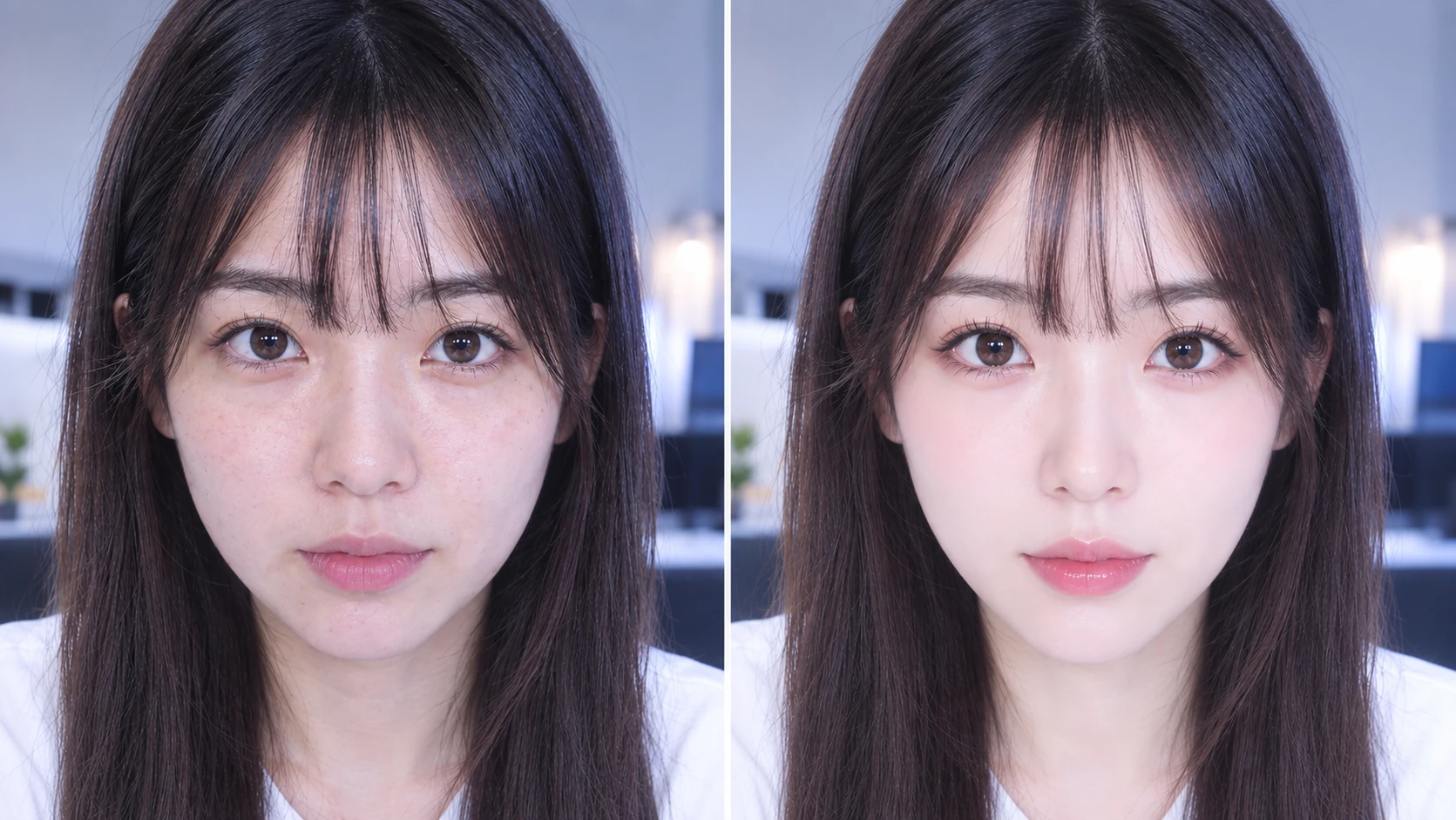
Fine-tune skin, facial features, body shape, and styling in real time, directly inside OBS Studio.
3-day free trial
SkiinOBS is a plugin that runsdirectly inside OBS Studio
PLUGIN
No external software or virtual camera required.
Fine-tune skin, facial features, body shape, and styling in real time, directly inside OBS Studio.
3-day free trial
SUPPORT
One-on-one support tailored to your setup, from OBS settings to camera, lighting, and audio.
Free consultation
OBS Doctor and personalized setup optimization are available to paid users of the SkiinOBS real-time beauty plugin.
DiscordNo external software or virtual camera required.
Works directly with any camera recognized by OBS Studio, regardless of brand or model.
Fine-tune skin, facial features, body shape, and styling from 0–100%. From subtle, natural enhancements to stronger adjustments, tailor the look to your streaming style. Detect and enhance up to 10 people at once.
Rather than wrapping a ready-made beauty SDK, we develop the core skin enhancement, facial contouring, image warping, and correction controls in-house and integrate them directly into our real-time engine.
Starting from camera frames and GPU textures inside OBS Studio, face detection, landmark estimation, tracking, image warping, and skin correction are unified in one real-time pipeline. We minimize unnecessary transfers to CPU memory, reduce frame-to-frame jitter and correction drift, and continuously optimize frame time, GPU load, VRAM, and memory usage.
As OBS Studio, Windows, and GPU drivers evolve, we continuously validate and improve rendering behavior, compatibility, stability, and performance.
After the official launch, you can try SkiinOBS free for 3 days.
Paid plans include OBS Doctor and personalized OBS setup, tuning, and optimization support.
※ General consultations are free.
※ The official version has not launched yet. Early Access is available through Discord.
Early Access to the SkiinOBS real-time beauty plugin is currently available first to streamers and creators. Join our Discord and tell us the social or streaming channel you use. A team member will contact you with the download, installation steps, and a quick introduction to the plugin. If you are ready, use the button below to join our Discord.
DiscordAvailable soon.